Features
Give each item a place to remember.
An item and its place, together.
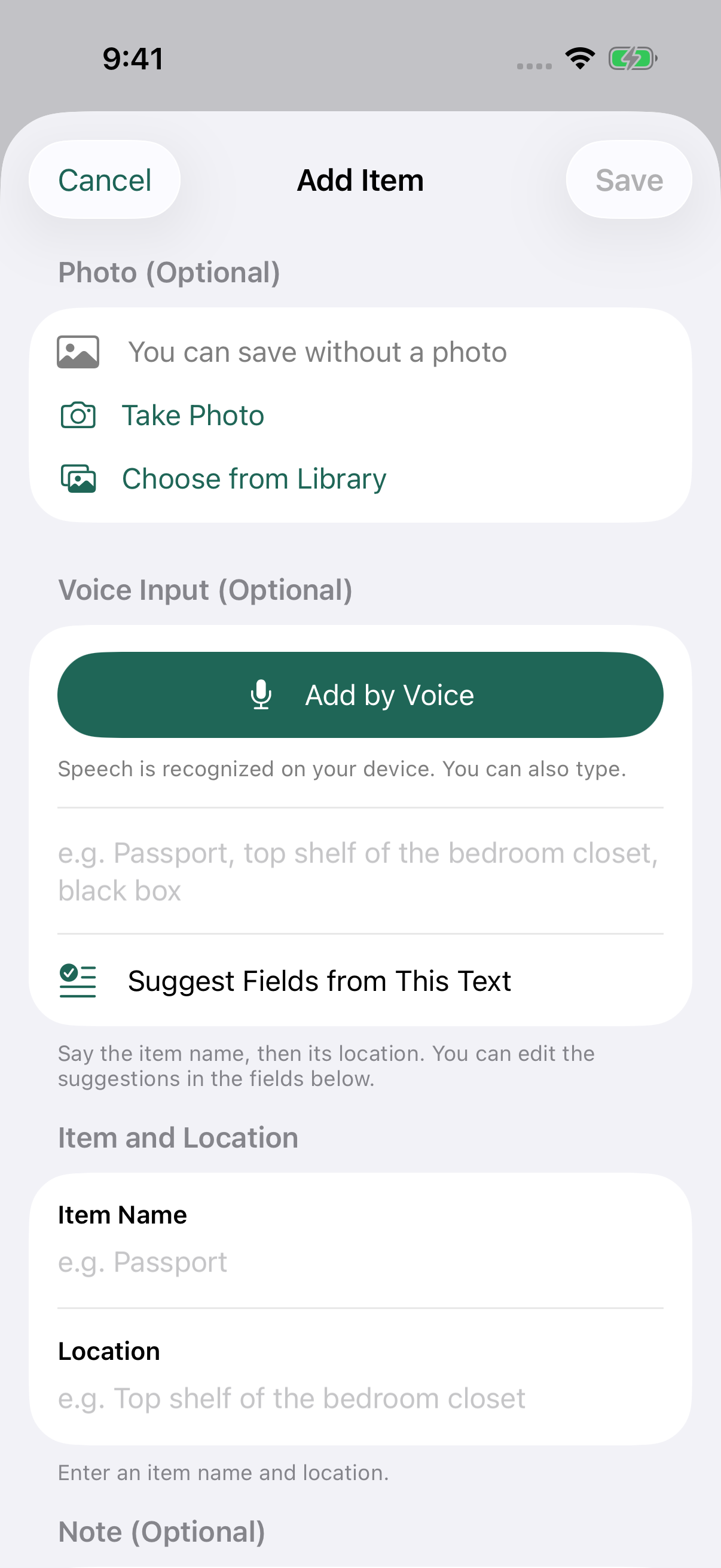
Enter a name and location to save a record. Add an optional photo or note to remember what the box looks like or why you put it there.
Find it with familiar words.
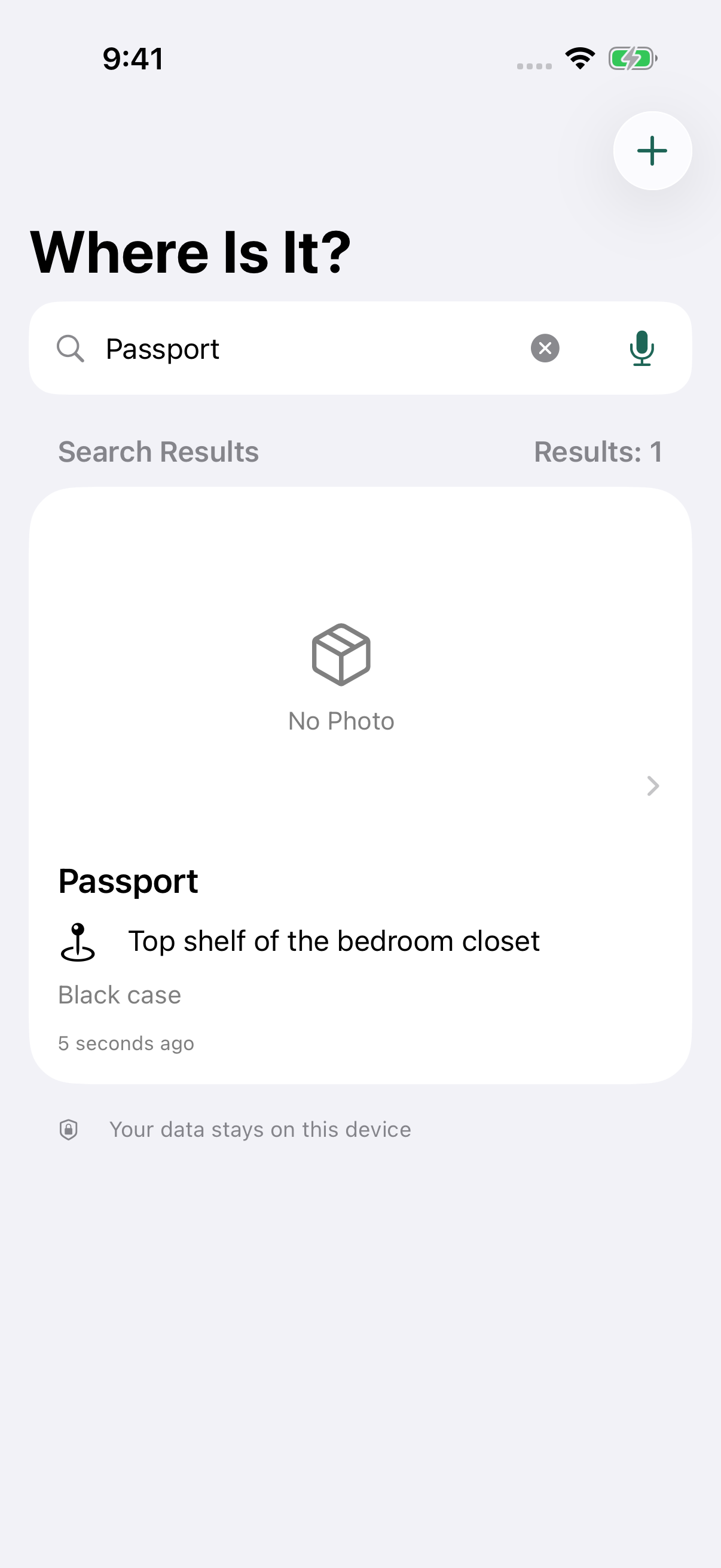
Search words from item names, locations, notes and recognized speech. Open a record to check its details, edit it or add it to favorites.
Type it or say it.
You can record items without photos or voice. Optional voice input uses on-device recognition only and requires a supported device, OS, language and speech model, plus permissions. If unavailable, use the keyboard.
Inside the app
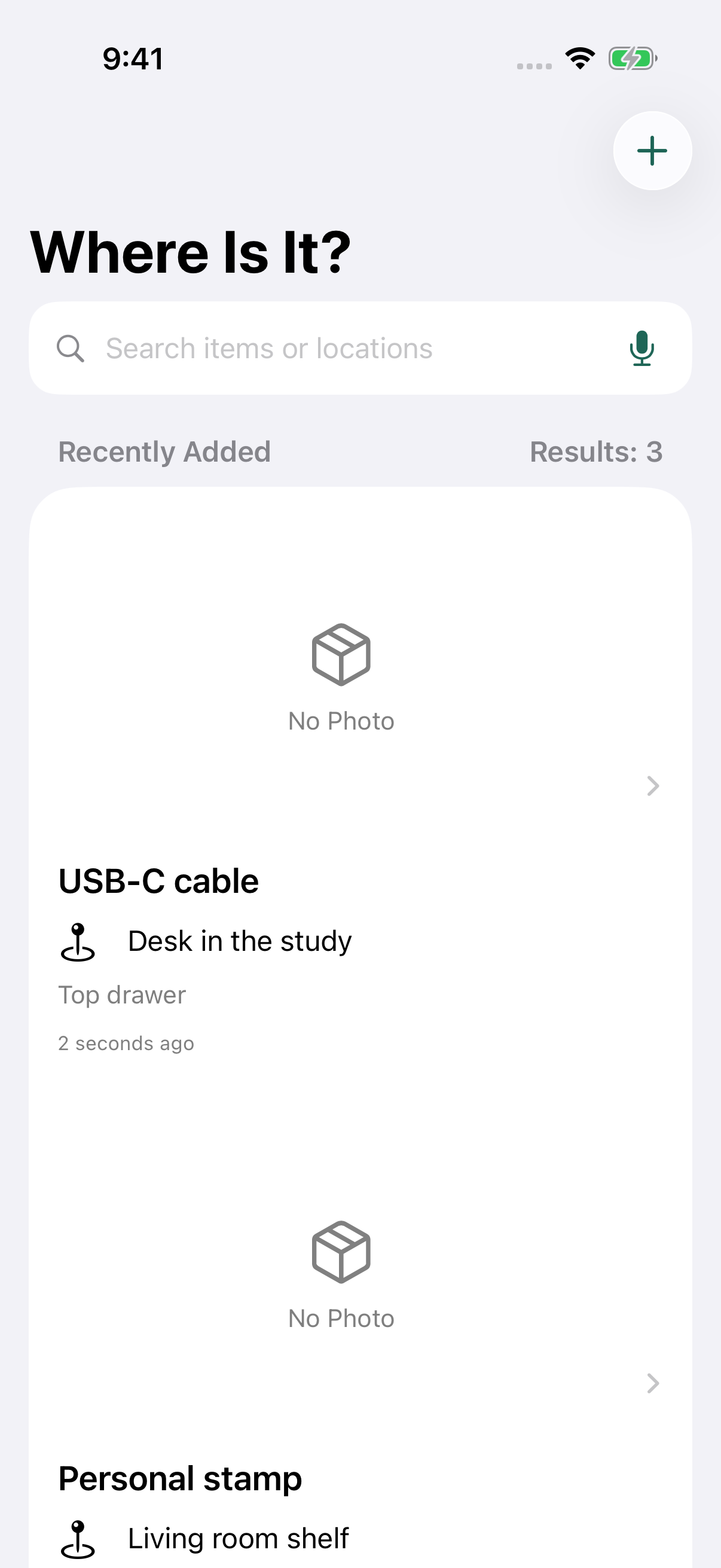
Save a place. Find it again.
These screens use sample data. Your list is empty when you first open the app. Click an image to enlarge it.
How it works
A quick note when you put it away.
Add a name and location
Tap + and enter the item name and where you put it. Add a photo, note or voice input only if you want to.
Review and save
Check the details, including any recognized text and suggested fields. Make any corrections, then save.
Search when you need it
Enter an item name, place or another word you remember. Open the matching record to check where you put it.
Support
Help with your records.
Keep a note of what you put away and where. Here is how to get started, manage permissions and contact support.
Common questions
How do I add and find an item?
Tap +, enter an item name and location, then save. Photos and notes are optional. Search words from the name, location, note or recognized speech, then open a record to view, edit, favorite or delete it.
Do I have to use photos or voice?
No. Manual entry works without either. Camera, photo and microphone/speech permissions are requested when you use those features. You can refuse permission and keep typing. Change permissions in iOS Settings for this app.
Why is voice input unavailable?
Voice input uses on-device speech recognition only. Availability depends on your device, language and prepared speech model. If unavailable, use the keyboard. Check and edit recognized text and suggested fields before saving.
Why can’t I select a photo?
The app reads only photos available on your device, within the permission you grant. It does not download iCloud-only photos. First download the photo using Photos, or take a new photo. With limited photo access, check which images you have allowed.
Can I sync or restore my records?
There is no cloud sync, backup or restore feature. Records and saved photos are excluded from device backups. Deleting the app, or losing or damaging the device, can permanently remove them. Support cannot restore records from a server.
How do I change language?
The interface supports Japanese, English, Spanish, Simplified Chinese, Traditional Chinese, Russian and Arabic. It follows iOS language preferences or the language selected for this app in Settings. Stored item names and locations are not translated.
Privacy
Privacy policy
This page explains how Where Is It? handles your records, photos, voice input and support messages.
Updated:
Records and photos
Item names, locations, notes, recognized text and saved photos are stored on the device. The app does not send these records or search terms to external APIs. It has no account system, advertising, tracking, external analytics SDK or cloud sync. A location is text you enter; the app does not request GPS access.
Optional permissions
The camera is used to take a photo for a record. Photo access is used for images you choose within the access you grant. The app requests these permissions only when you use the relevant feature. Photos are read with network downloads disabled. You can decline permissions and use manual entry.
Voice input and suggestions
Microphone and speech permissions are used for optional on-device speech recognition. The app does not save audio recordings. Recognized text may be saved with your record. It never falls back to online speech recognition. If available, Apple’s on-device language model can suggest fields from your text; otherwise a simple text parser is used. Review suggestions before saving.
Retention and deletion
Your records remain in the app until you delete them. Saved records and photos are excluded from system backups. There is no sync, backup or restore feature. Deleting the app or losing access to the device can cause permanent loss. Deleting an app record does not delete the original photo you selected from your photo library.
Support messages
If you email support, your email address, message and any attachments you choose to include are used to respond to your request. They are handled through the email service. Do not send confidential documents or unnecessary personal information. Contact the email address below with questions about support messages.
This website and system services
When this website is published, services provided by the hosting provider may process access logs, website usage data and related technical information. The provider’s own privacy policy applies to those services. The app itself contains no advertising, tracking or external analytics SDK. App Store distribution and diagnostic information handled by the operating system according to your settings are covered by Apple’s own policies.