
Features
See the words. Hear the world.
- 12Languages to explore
- 4Phrase categories
- 48Included phrases
Explore with your fingertips
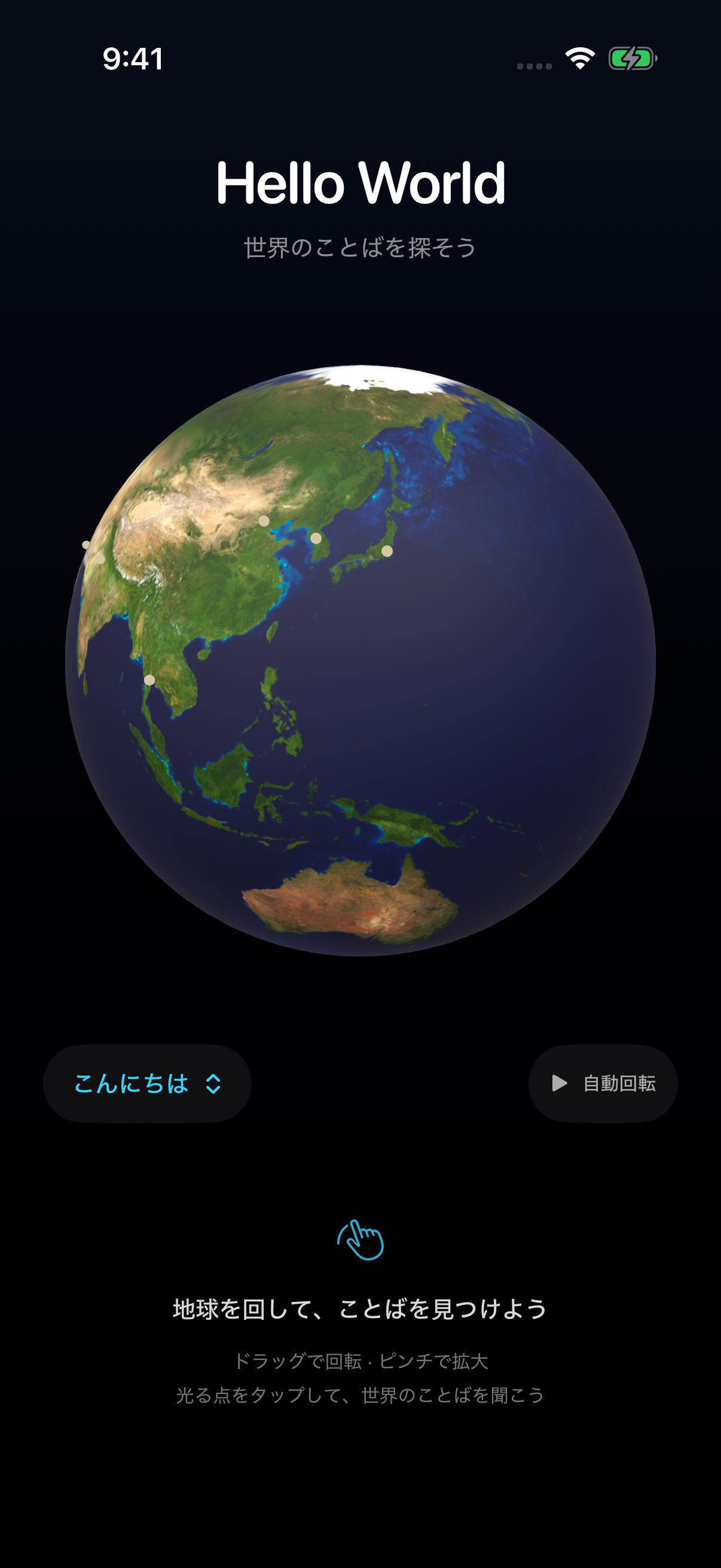
Drag to turn the globe and pinch to zoom. Choose a language from glowing markers at 12 locations. Turn on automatic rotation for a gentle tour.
Compare four everyday phrases
Switch between hello, thank you, good morning, and goodbye. Your category stays selected as you explore another place, making it easy to compare.
Writing and reading, together
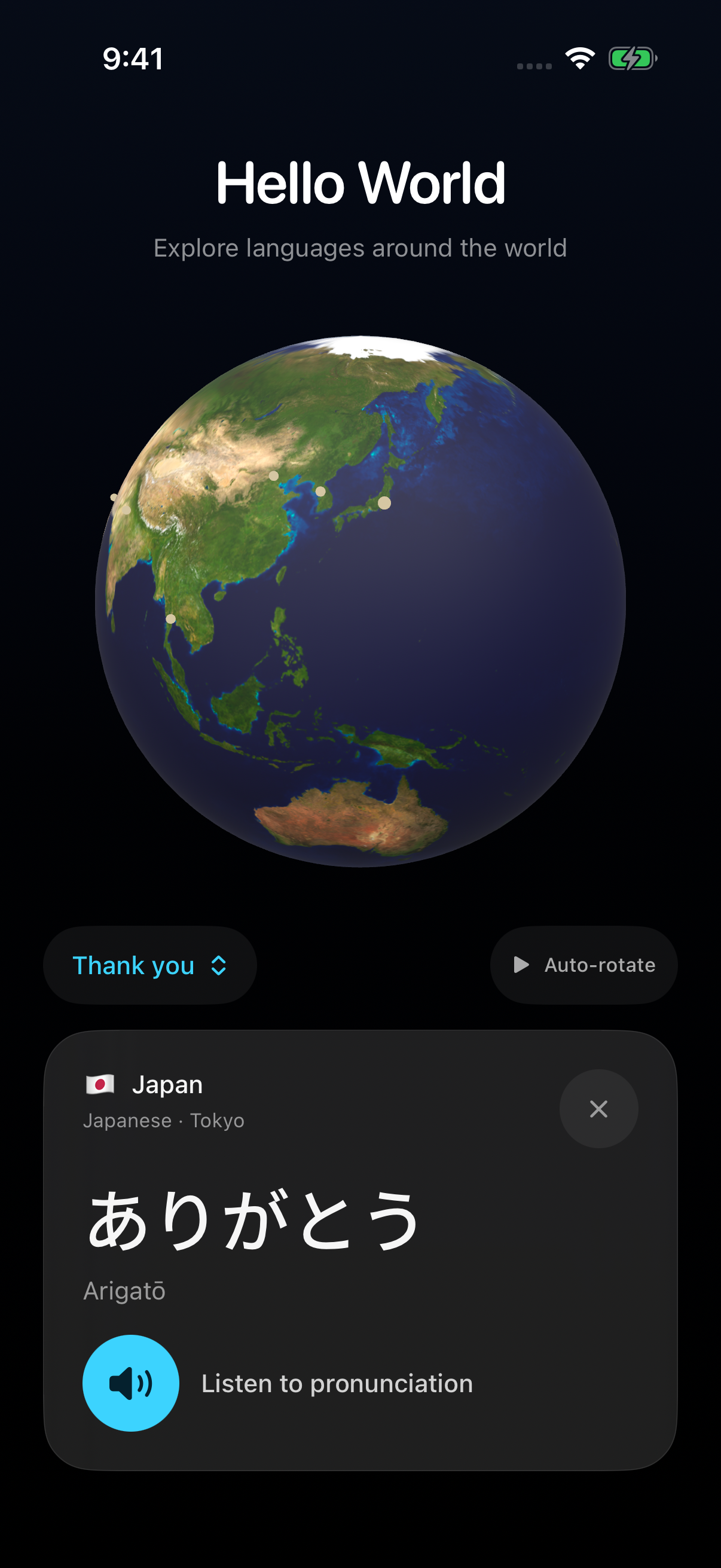
A card brings together the country, language, native phrase, and romanization. Short notes explain expressions that vary by speaker or situation.
Listen, then listen again
Tap the button to hear the phrase with a system voice for its language. No recording or microphone is used. A compatible voice must be available on your device.
Explore in a way that suits you
Choose languages with VoiceOver actions and scroll cards at larger text sizes. Automatic rotation and inertia are disabled with Reduce Motion or VoiceOver.
Start without an account
The globe image and all 48 phrases are included in the app. No sign-in or ads, and no internet connection is needed to browse the globe and phrases.
Four everyday phrases
How do you say “thank you”?
Here are the four included Japanese expressions. Each language pairs its native writing with romanization.
- HelloこんにちはKonnichiwa
- Thank youありがとうArigatō
- Good morningおはようOhayō
- GoodbyeさようならSayōnara
12 languages. 48 ways to connect.
From Japanese, English, Korean, and Chinese to Hindi, Arabic, and Thai. Discover everyday greetings through representative places on the globe.
- Japanese日本語
- EnglishEnglish
- Korean한국어
- Chinese中文
- SpanishEspañol
- FrenchFrançais
- GermanDeutsch
- ItalianItaliano
- Portuguese (Brazil)Português
- Hindiहिन्दी
- Arabicالعربية
- Thaiไทย
Markers represent one location for each language, rather than every language spoken in a country. Expressions can vary with the speaker and situation.
Screenshots
From the globe to a phrase card.
Actual iPhone Simulator captures. Select an image to view it at its original size.
How it works
Turn. Choose. Listen.
Turn the globe
Drag toward a place you want to explore. Pinch to adjust the size.
Choose a glowing point
Tap a marker to see the country, language, and phrase.
Compare the greetings
Switch between four categories and tap “Listen to pronunciation”. Explore the same category at another location.
Support
Need a hand exploring?
For questions, bugs, or phrase feedback, include your iPhone model, iOS version, interface language, and the action you were taking.
Contact by emailbigmakiinum@outlook.jpFrequently asked questions
Do I need an internet connection?
The globe and phrases use data included on your device. Pronunciation uses available system voices. Adding a voice through iOS settings may require an internet connection.
Are interface and phrase languages the same?
The interface supports Japanese, English, Spanish, Simplified Chinese, Traditional Chinese, and Arabic. There are phrases in 12 languages. Changing the interface keeps native text, romanization, and speech in the language you selected to explore.
What if I cannot hear the pronunciation?
Check the volume and audio output. If a system voice for the selected language is unavailable, the card shows a message. Add the voice through your device settings if needed.
Can I select languages without turning the globe?
VoiceOver offers custom actions on the globe for each language. With larger text sizes, scroll the card to reach the pronunciation and close buttons.
Can I download it on the App Store?
The app is being prepared for release. A release date and price have not been set. A download link will be added here after availability is confirmed.
Privacy
A world of words, on your device.
Hello World explores a globe image and phrases included on your device. No account is required.
Last updated:
Information used by the app
The app does not collect or transmit personal information, location, or advertising identifiers. It has no ads, tracking, or third-party analytics SDKs. The selected language, phrase, and globe orientation are used to display the interface. The app does not save a learning history.
Speech and device features
Pronunciation uses iOS system voices without connecting to an external speech API. The app does not access your camera, microphone, or location. Voice downloads and Apple diagnostics are governed by your device settings and Apple’s privacy policy.
Contacting support
Your email address and message are used to answer your question or investigate a problem. You can contact us using the support address below.
This introduction page
This page loads no analytics scripts. When hosted on GitHub Pages, the hosting service’s handling of information is covered by GitHub’s privacy statement. Links to Apple and GitHub are governed by the respective sites’ policies.